A virtualized component that allows you to efficiently render large lists and tabular data.
Introduction
Efficiently rendering large lists and tabular data is a common challenge in UI development. By leveraging virtualization, we can significantly enhance performance.
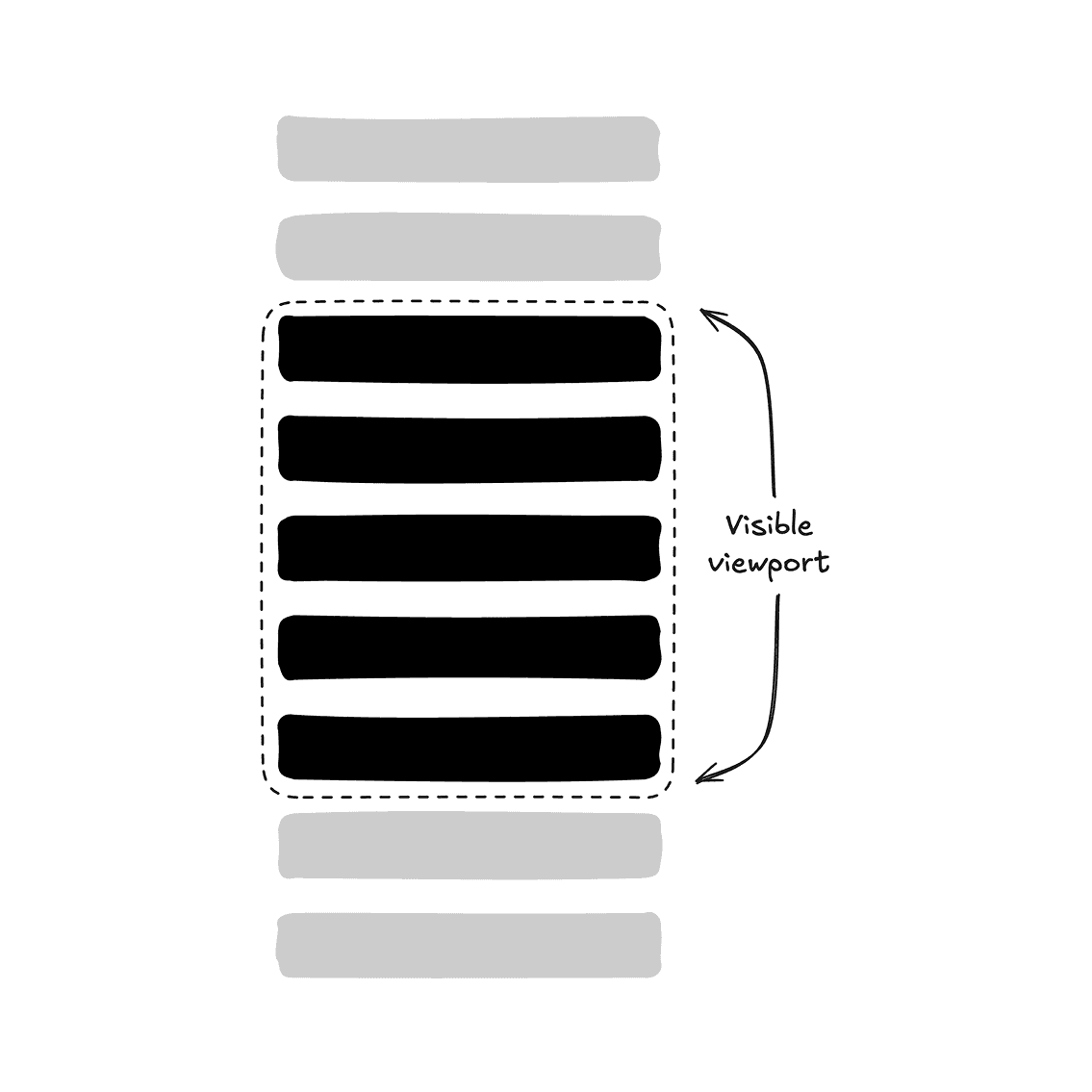
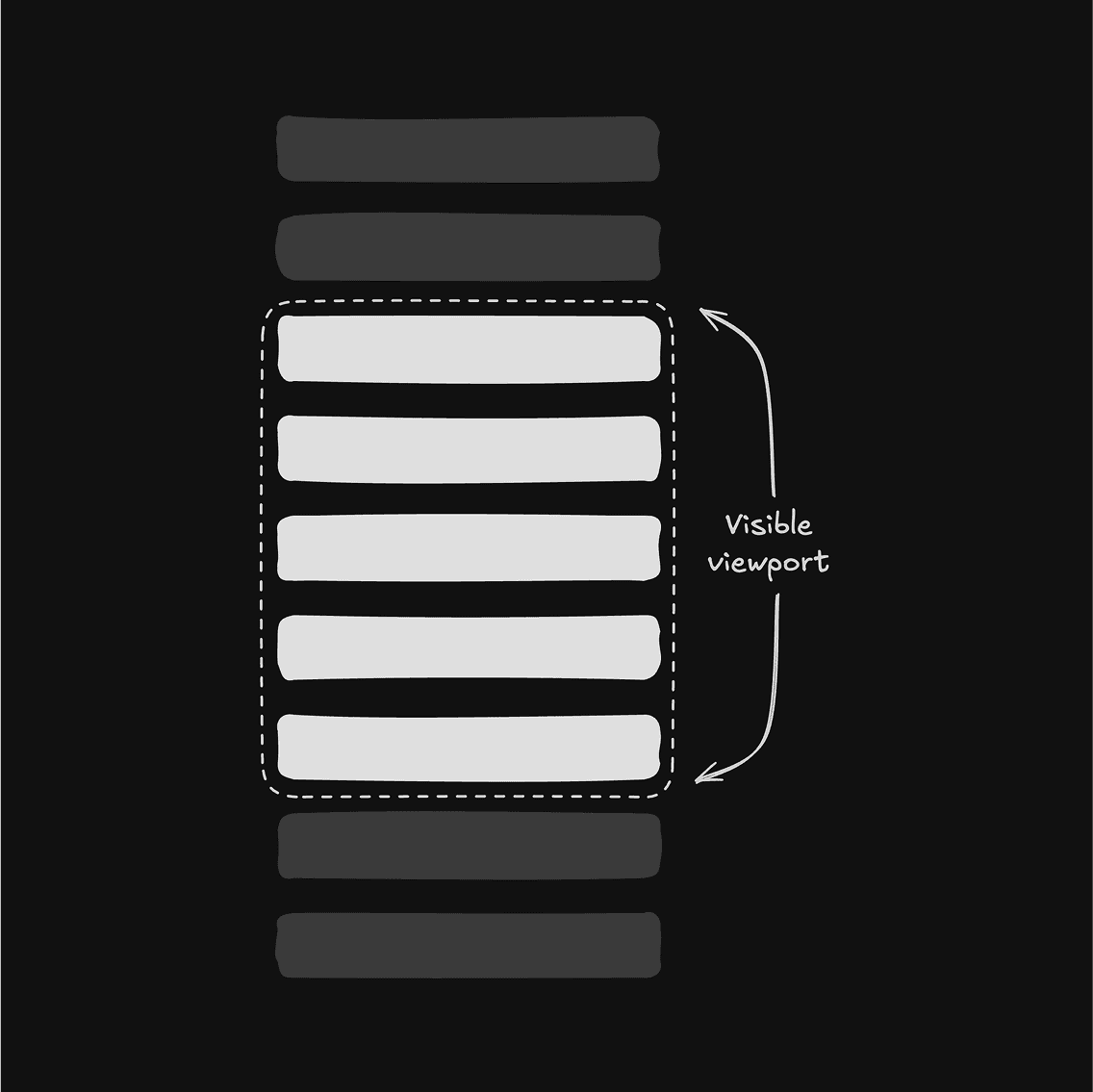
Rendering only visible rows of content in a dynamic list instead of the entire list using virtualization.
After exploring various libraries, I found virtua to be one of the most intuitive and effective choices. Its straightforward API allows seamless integration with other tools like @dnd-kit and Base UI, making it easy to virtualize different components effectively.
This documentation serves as a guide to help you understand how to use the <Virtualized /> component. Feel free to create your own abstraction of the virtualized components, e.g. <VirtualizedScrollArea />, <VirtualizedSelect />, etc.
Important: Use virtualization judiciously. It's best suited for scenarios involving large lists or tables, rather than squeezing out every bit of "performance optimizations".
Installation
Examples
Default
Horizontal
Grid
Table
| Invoice | Status | Method | Amount |
|---|---|---|---|
| Total | $494,231.00 | ||
Note: Until virtua improves its support for table virtualization, you will need to manually set the cell width because of the current use of absolute positioning.
Command
Combobox
Select
Scroll Area
Sortable
Combobox
To virtualize a <Combobox /> component, you'll need to use <Virtualized /> component.
Setup scollRef
Attach the scrollRef to the <ComboboxContent /> with <Virtualized />, as it serves as the scrollable container:
export function VirtualizedComboboxDemo() {
return (
<Combobox>
{/* ... */}
<Virtualized render={<ComboboxContent />}>
{/* ... */}
<VirtualizedVirtualizer>{/* ... */}</VirtualizedVirtualizer>
{/* ... */}
</Virtualized>
</Combobox>
);
}Handle filtering
Control the inputValue and pass shouldFilter={false} to the <Combobox />, as the default filtering does not support virtualization. You will also need to filter items manually:
export function VirtualizedComboboxDemo() {
// ...
const [inputValue, setInputValue] = React.useState("");
const filtered = React.useMemo(() => {
if (!inputValue) {
return items;
}
return items.filter((item) =>
item.label.toLowerCase().includes(inputValue.toLowerCase()),
);
}, [inputValue]);
return (
<Combobox
// ...
shouldFilter={false}
inputValue={inputValue}
onInputValueChange={setInputValue}
// ...
>
{/* ... */}
</Combobox>
);
}Tip: You may also fetch your items with debounced inputValue from API calls.
Tip: If you use <ComboboxGroup /> with heading, you'll need to set the startMargin to match the heading's height. This ensures that the virtualized viewport is positioned correctly within the <PopoverContent />.
Scroll Area
To virtualize a <ScrollArea /> component, you'll need to use the primitive components directly. shadcn/ui's version includes its own abstraction, which does not support virtualization out of the box.
Setup scrollRef
Attach the scrollRef to the <ScrollAreaPrimitive.Viewport /> by rendering it as <Virtualized />, as it serves as the scrollable container:
export function VirtualizedScrollAreaDemo() {
return (
<ScrollAreaPrimitive.Root className="relative h-72 w-48 overflow-hidden rounded-md border">
<ScrollAreaPrimitive.Viewport
render={<Virtualized />}
className="size-full rounded-[inherit]"
>
{/* ... */}
<VirtualizedVirtualizer>{/* ... */}</VirtualizedVirtualizer>
{/* ... */}
</ScrollAreaPrimitive.Viewport>
<ScrollBar />
<ScrollAreaPrimitive.Corner />
</ScrollAreaPrimitive.Root>
);
}Tip: As usual, double-check to see if you need to set the startMargin.
Select
To virtualize a <Select /> component, render its <SelectContent /> as a <Virtualized /> viewport. Since the virtualized viewport manages its own scrolling, set alignItemWithTrigger={false} so the content is positioned like a popover:
Setup scrollRef
Attach the scrollRef to the <SelectContent /> by rendering it as <Virtualized />, as it serves as the scrollable container:
export function VirtualizedSelectDemo() {
return (
<Select items={items}>
{/* ... */}
<SelectContent
alignItemWithTrigger={false}
className="max-h-96"
render={<Virtualized />}
>
<VirtualizedVirtualizer>{/* ... */}</VirtualizedVirtualizer>
</SelectContent>
</Select>
);
}Handle scroll position and focus
To replicate the scroll position and focus behavior of <Select />, manage the open and value states, and access the virtualizer instance using imperative methods with the ref:
export function VirtualizedSelectDemo() {
const [value, setValue] = React.useState<string | null>(null);
const [open, setOpen] = React.useState(false);
const virtualizerRef = React.useRef<VirtualizerHandle>(null);
const viewportRef = React.useRef<HTMLDivElement>(null);
const activeIndex = React.useMemo(
() => items.findIndex((item) => item.value === value),
[value],
);
React.useLayoutEffect(() => {
if (!open || !value || activeIndex === -1) return;
setTimeout(() => {
// Recover scroll position.
virtualizerRef.current?.scrollToIndex(activeIndex, { align: "end" });
const selectedElement = viewportRef.current?.querySelector(
"[data-selected]",
) as HTMLElement;
// Recover focus.
selectedElement?.focus({ preventScroll: true });
});
}, [open, value, activeIndex]);
return (
<Select
open={open}
onOpenChange={setOpen}
value={value}
onValueChange={setValue}
>
{/* ... */}
<SelectContent render={<Virtualized ref={viewportRef} />}>
<VirtualizedVirtualizer ref={virtualizerRef}>
{/* ... */}
</VirtualizedVirtualizer>
</SelectContent>
{/* ... */}
</Select>
);
}Ensure active item is always mounted
To ensure the selected item is rendered within the <SelectTrigger />, use the keepMounted prop:
export function VirtualizedSelectDemo() {
// ...
return (
<Select
// ...
>
{/* ... */}
<VirtualizedVirtualizer
// ...
keepMounted={activeIndex !== -1 ? [activeIndex] : undefined}
>
{/* ... */}
</VirtualizedVirtualizer>
{/* ... */}
</Select>
);
}Reusable Components
Virtualized Select
This section is empty for now.
Accessibility
Virtualization only affects what's mounted in the DOM, not the semantics of the component being virtualized — a virtualized <Select /> or <Combobox /> keeps the same roles, states and keyboard behavior as its non-virtualized counterpart, since <VirtualizedVirtualizer /> renders its children directly inside the existing listbox/popover markup.
Because off-screen items aren't in the DOM, avoid relying on browser "find in page" or assistive technology virtual cursor navigation to reach items outside the rendered window — users should navigate with the component's own keyboard interactions (arrow keys, typeahead) instead, which keep the active item mounted and in view via keepMounted and scrollToIndex.
API Reference
Thin wrappers around virtua — see the virtua API reference for the full list of underlying props and imperative handle methods.
Virtualized
The scrollable container. Renders a <div> and provides its scroll ref to a <VirtualizedVirtualizer /> inside. Use the render prop to attach the scroll container to an existing component, e.g. render={<ComboboxContent />}.
VirtualizedList
A standalone virtualized list that scrolls itself. Wraps virtua's VList and accepts all of its props (keepMounted, shift, imperative ref, …). Must not be used within a <Virtualized /> — use <VirtualizedVirtualizer /> there instead.
VirtualizedGrid
A virtualized grid that virtualizes both rows and columns. Wraps virtua's experimental VGrid and accepts all of its props (row, col, cellHeight, cellWidth, …).
VirtualizedVirtualizer
The virtualized viewport for a <Virtualized /> container. Wraps virtua's Virtualizer with scrollRef already wired to the surrounding <Virtualized />, and accepts all of its remaining props (startMargin, keepMounted, imperative ref, …).